Data export
Every row of the table leaves, and the file says what it holds
A table is only half a tool until you can take it with you. The query list on the largest site we develop against holds 82,013 rows, and the CSV holds every one of them. Its first lines name the window, the filters and the share of your property’s clicks those rows account for.
How it works
One button, two formats, and the server builds both
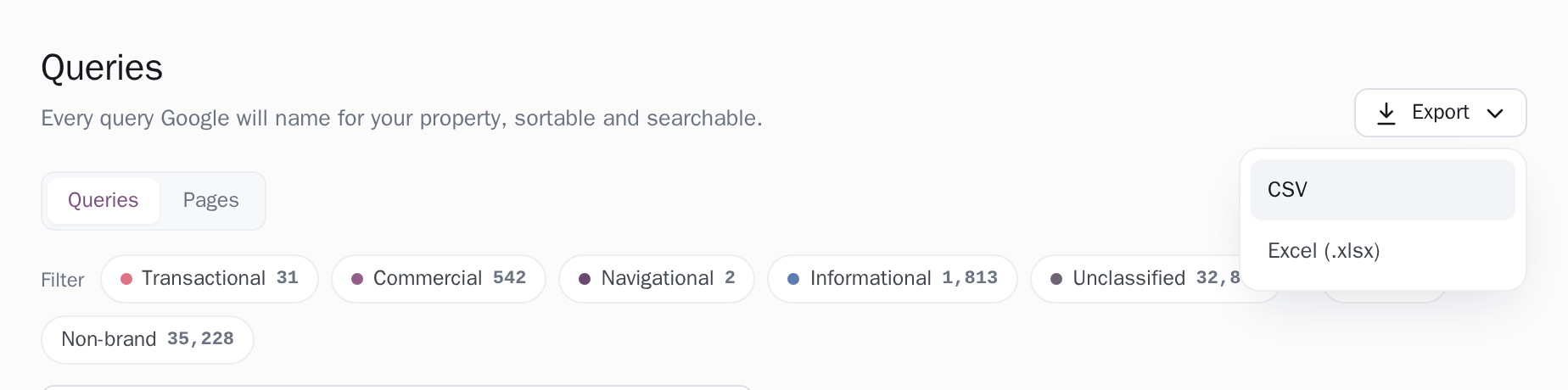
Export sits above the table and opens two choices, CSV and Excel (.xlsx). Pressing one sends the table’s current state back to the app, which reads the rows out of the database and writes the file there. CSV is written as it is read, batch by batch, straight onto the connection, so a file of 82,013 rows never sits in memory in one piece.
The workbook is assembled whole, because a zip container has to be, and it arrives as two sheets: the data on one, named for the report, and the provenance on a second called About this export. That leaves the data sheet a clean rectangle you can sort, filter and pivot, with the prose on a sheet of its own. While the server works the app says Preparing export, and when the file lands, Export ready.
What the file looks like when you open it
A queries export taken from the Queries screen over 28 days. The site and the figures are examples; the lines, their order and the columns are what the server writes.
# Clode: search queries for example.com
# Exported 2026-09-22
# Window: 2026-08-25 – 2026-09-21 (the range the table was exported from)
# Coverage: these queries hold ~21% of the property's clicks and ~60% of its impressions in that window. The rest belongs to queries Google anonymizes. Summing this file does NOT give site totals.
Query,Clicks,Impressions (2026-08-25 to 2026-09-21),CTR %,Position,Brand,Intent,Intent source
example,31,96,32.29,1.3,TRUE,Unclassified,none
emergency electrician sunday,14,212,6.60,4.2,FALSE,Transactional,query-lexicon
fuse box keeps tripping?,6,388,1.55,7.9,FALSE,Informational,query-shape
The lines that start with # come first, then the column headings, then one row per query. CTR is a plain number, and its heading carries the unit.
| 1 | Query | Clicks | Impressions (2026-08-25 to 2026-09-21) | CTR | Position | Brand | Intent | Intent source |
|---|---|---|---|---|---|---|---|---|
| 2 | example | 31 | 96 | 32.29% | 1.3 | TRUE | Unclassified | none |
| 3 | emergency electrician sunday | 14 | 212 | 6.60% | 4.2 | FALSE | Transactional | query-lexicon |
| 4 | fuse box keeps tripping? | 6 | 388 | 1.55% | 7.9 | FALSE | Informational | query-shape |
| 1 | Clode: search queries for example.com |
|---|---|
| 2 | Exported 2026-09-22 |
| 3 | Window: 2026-08-25 – 2026-09-21 (the range the table was exported from) |
| 4 | Coverage: these queries hold ~21% of the property's clicks and ~60% of its impressions in that window. The rest belongs to queries Google anonymizes. Summing this file does NOT give site totals. |
Two sheets. The rows sit on one named for the report; the lines the CSV prints above its headings sit on About this export, one wrapped column of them.
The first lines of the file say what it is
Every file opens with a short preamble: the product and your site, the date it was built, the window the rows were summed over and, on the queries report, the share of your property’s clicks and impressions those rows hold. A filter is written out in words as well, because a spreadsheet has no tab strip to show which group it came from, and ‘Blog’ and the whole site look identical once the rows are on a page.
The page roster file writes it in full: Window: 2026-08-20 to 2026-09-16. Impressions and coverage describe THIS range: ‘in sitemap only’ means the page was declared and not served in it. In CSV those lines sit above the column headings, each prefixed with a hash. In Excel they are the About sheet, one wrapped column of them, which is also where the workbook records anything it left for the CSV to carry.
The file is the table you were looking at
Everything that shaped the table travels with the request: the tab you are on, the sort column and its direction, the search, the intent and brand chips on Queries, the device or country on its Pages tab, and on Page coverage the coverage card you pressed, the silence threshold behind it, the date range and the Groupings group. The window is the one that matters most, because the same column means two things on either side of it: on the ‘Never shown’ card over 28 days the screen listed 9,186 pages, while a file built over all of time would have handed back the 2,995 whose lifetime coverage happens to read the same way, a different set under the same heading.
The group filter is resolved before the first row is written, since the rows stream while the response is open and a preamble promising ‘Blog’ has already left by then. The Pages tab keeps one thing of its own, its window: that file answers over the 90 days it names, whatever the picker above it says.
Numbers arrive as numbers
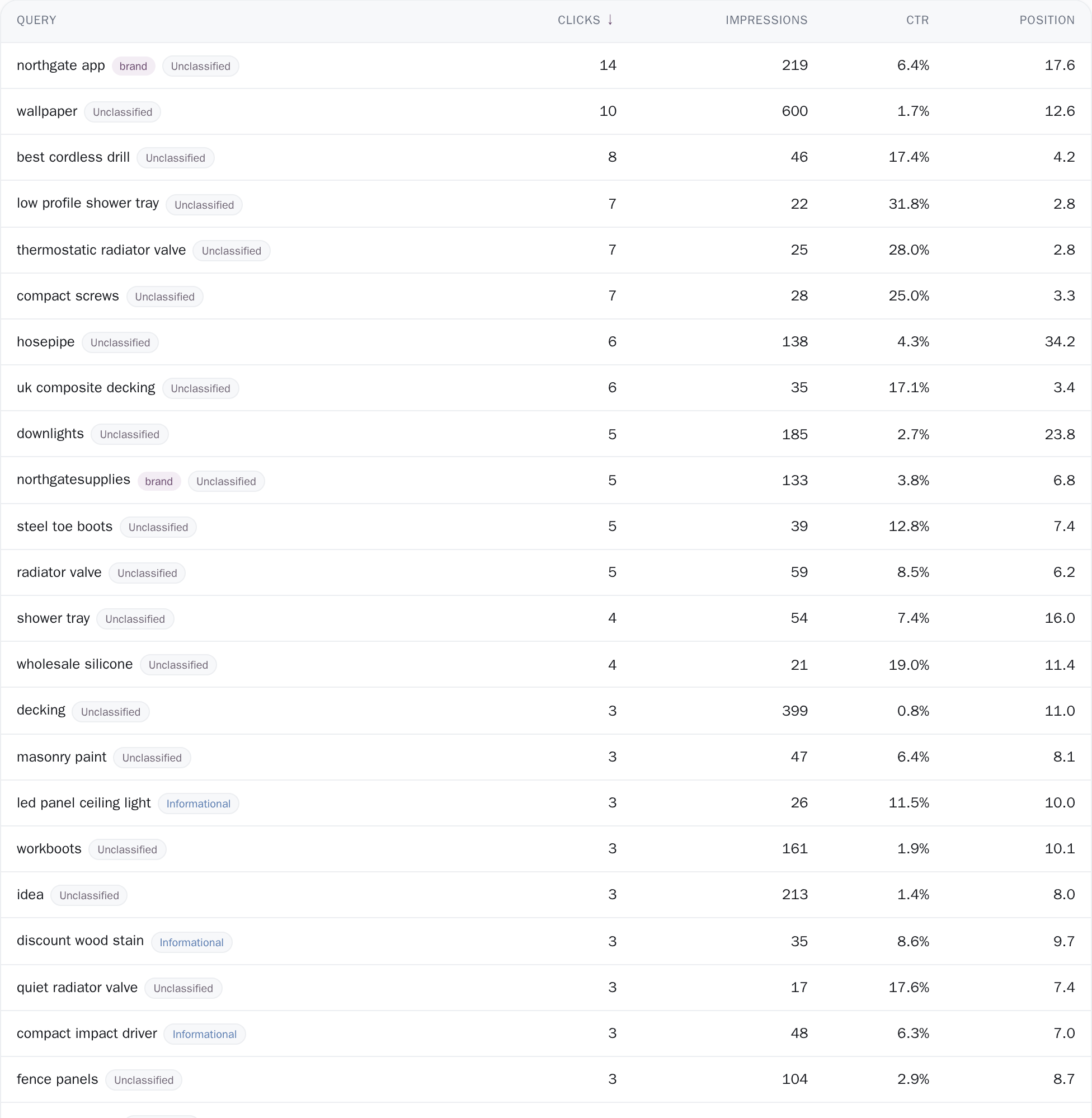
Cells carry a value and a declared type rather than text that looks like a number, so the spreadsheet you open can do arithmetic on them. In Excel an integer is a number with a thousands format, CTR is a true percentage that Excel renders with its own sign, position keeps one decimal, a date is a date and a yes/no is a boolean, so a column sums, sorts and charts the moment it opens.
CSV writes CTR as a plain number and puts the unit in the heading instead, because a bare number is the form a script can use. The file leads with a UTF-8 byte order mark and ends its lines with CRLF, so a Cyrillic query opens as a Cyrillic query in Excel on Windows, and quoting follows RFC 4180. A cell that starts with an equals sign, a plus, a minus, an at sign, a tab or a carriage return is written as text, because search queries are typed by strangers and a spreadsheet reads some of what strangers type as a formula.
Which window, and which half of Google's data
Each file names the window it was built over in its own first lines, and the three reports do not all answer over the same one. The queries file follows the date picker in the header and prints the range it read. The Pages tab file keeps a window of its own, the most recent 90 days the per-page store holds, and says so in the file while the screen above it follows the picker.
The page roster file follows the picker too, and while it does, its Impressions and Coverage columns describe that range rather than the page’s whole life, which is why the Impressions heading carries the two dates inside it. Within those windows, clicks, impressions and the first and last impression dates are sums over the complete daily store and are exact.
Where a figure comes from Google’s query × page sample the file says so in a line of its own: there an impression is counted once per page, and the roster’s Queries column is a floor rather than a count. The share line is measured the way the screen measures it, these rows against your property’s own daily totals for exactly the same days, so what the file accounts for is stated rather than assumed.
The thresholds, stated
Exactly what you are looking at
- Three tables write the server-built file, and the rest of the app writes its own. The Export menu, CSV and Excel both, sits above the Queries table, above its Pages tab and above All pages on Page coverage: the three tables that page through more rows than a screen can hold. The pivot on Analytics, Target keywords and Cannibalization each build a CSV in your browser from the rows already on screen, in the layout you are looking at, and where those rows are a top slice the file says so inside itself: the pivot prints how many lower-traffic rows sit beyond its top-N cap, and Cannibalization prints how many of the affected queries it wrote. The projects list and the project dashboard are places to read, and every site on them opens into the three tables above.
- What the queries file sums to is the queries’ own total, and the file prints how far that is from your site’s. Google anonymizes rare searches before anyone can read them, so these rows account for a share of your property rather than all of it. The preamble measures that share against your own property totals for exactly the same days and states it: on the project we develop against, summing a 90-day queries file gives 3,911 clicks where the property earned 17,629. The ranged figure is held at 100 percent at most, because the query store and the property store are trimmed by separate passes, and a window reaching the edge of the history we keep can otherwise divide a fuller numerator by a shorter denominator.
- An Excel file holds the first 200,000 rows, and the workbook is where you read that. Past that point the About sheet carries a line naming how many rows it wrote and how many it left, and CSV is the format that carries every row the table matched, because it streams instead of being assembled. The largest live query list here is 82,013 rows, so the ceiling sits a long way above the tables it holds, and it is stated rather than discovered.
- Each file names the half of Google’s data it read. The queries report reads one row per query out of the query store, which holds one row per query for the whole property, so it answers across every device and country; segment the screen and the file names the segment the table had and states that its own rows cover all of them, because device and country live in the query × page cube the Pages tab reads. Segment that Pages tab and its file comes from the cube, where an impression is counted once per page, and it says so. On the roster, the Queries column counts the distinct queries Google names for a page in that same sample, and the preamble prints that the real number is higher, so ‘3 queries’ reads as a floor rather than as a thin page.
Connect your site and see the first answer today
Sign in with Google, pick a property, and your dashboard fills in while you watch, with the screen counting the days as they land.