Page coverage
Which of your pages Google stopped showing, and when
You published a page. Whether anybody ever saw it in a search result is a different question, and the answer is not on your website. It is in the gap between the pages your sitemap declares and the pages Google actually served. On the 22,959-page site we develop against, 8,740 declared pages were never served in the window and 4,110 had impressions earlier in it and then went quiet. Search Console will not hand you either list.
How it works
Four groups, and every page is in exactly one
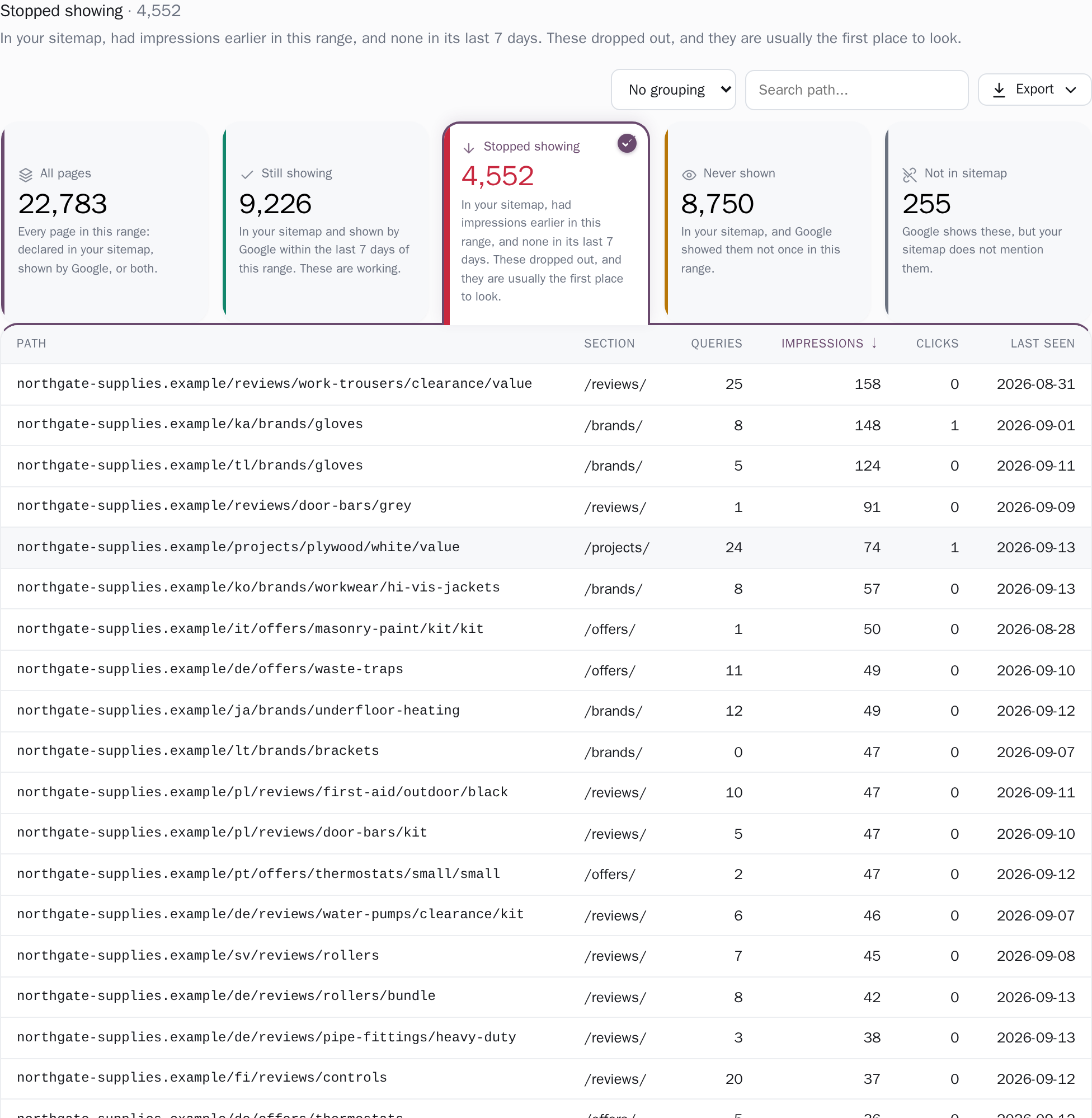
One rule sorts the whole list into Still showing, Stopped showing, Never shown and Not in sitemap. Each card carries its count and a sentence saying whether it is a problem: "In your sitemap, had impressions earlier in this range, and none in its last 7 days. These dropped out, and they are usually the first place to look." Because a single rule assigns each page one group and only one, the four counts add up to the total: on that same site, 9,678 + 4,110 + 8,740 + 431 is the whole roster, not four numbers that happen to sit near each other.
The cards are also the filter. Press one and the table below shows only those pages, with the heading and the line under it rewritten to name the group you are in, and the Coverage column dropped because inside a group every row would repeat it. Only Stopped showing raises its voice, in red, and only when it is not zero; the card you pressed is marked a different way, by filling and a tick, so "chosen" can never be read as "alarming".

You set what counts as stopped, and can see the rule
Two controls sit above the table, written as one sentence. Judge the last offers 7 days, 28 days, 3 months, 6 months, 16 months or all history, as far back as your stored history reaches: a paid site keeps a rolling 24 months, a free one the most recent 14 days, and a banner names the first day we hold. Count a page as stopped after takes 3, 7, 14, 28, 60 or 90 days with no impressions.
Seven days is the default. How long a silence has to last before it means anything depends on how often your site is crawled, which you know and we do not, and the app says exactly that: "Sites that are crawled rarely need a longer silence before it means anything. Only thresholds that fit inside the selected range are offered." Your threshold is remembered in this browser for that project, and the range buttons write through the same setting as the date picker at the top of the screen, so the two can never end up describing different windows.
Every URL, not the top few hundred
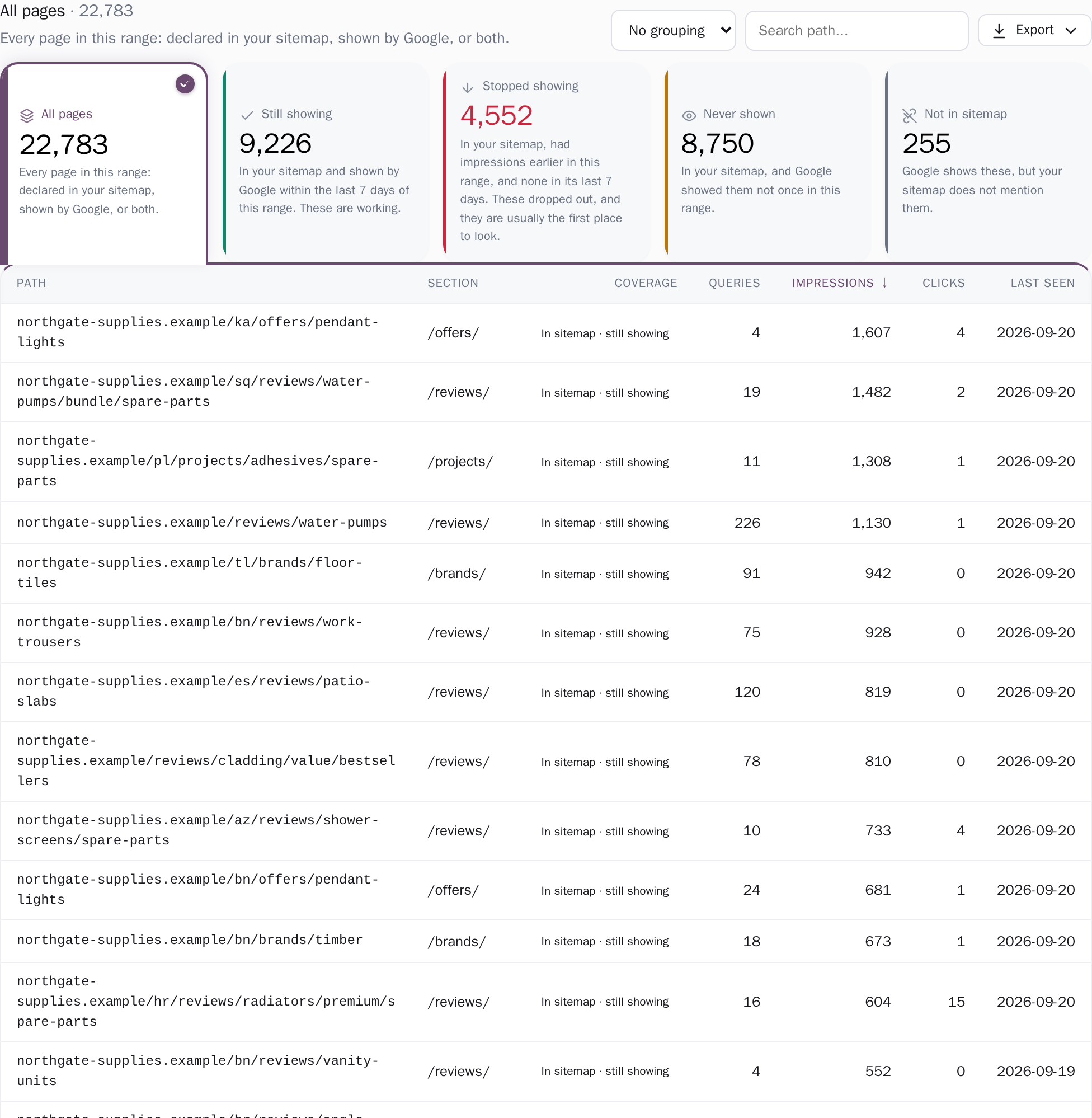
The table is the whole roster: every URL your sitemap declares plus every page Search Console served, out to the crawl limits below. It pages 50 rows at a time, with seven sortable columns: path, section, coverage, queries, impressions, clicks and last seen. Nothing here is a top-N sample. Searching, sorting, the group counts and the totals row are all worked out on the server across the full result, so "Total · 22,959 pages" and the impressions beside it describe every matching page, not the 50 you can see.
The group counts follow your search but ignore which group you are currently in, because a card has to show what pressing it would give you rather than collapsing to the one you already chose. Paths are shown exactly as the property reports them (host and path on a domain property) and are never merged.
Open a page and see the day it went quiet
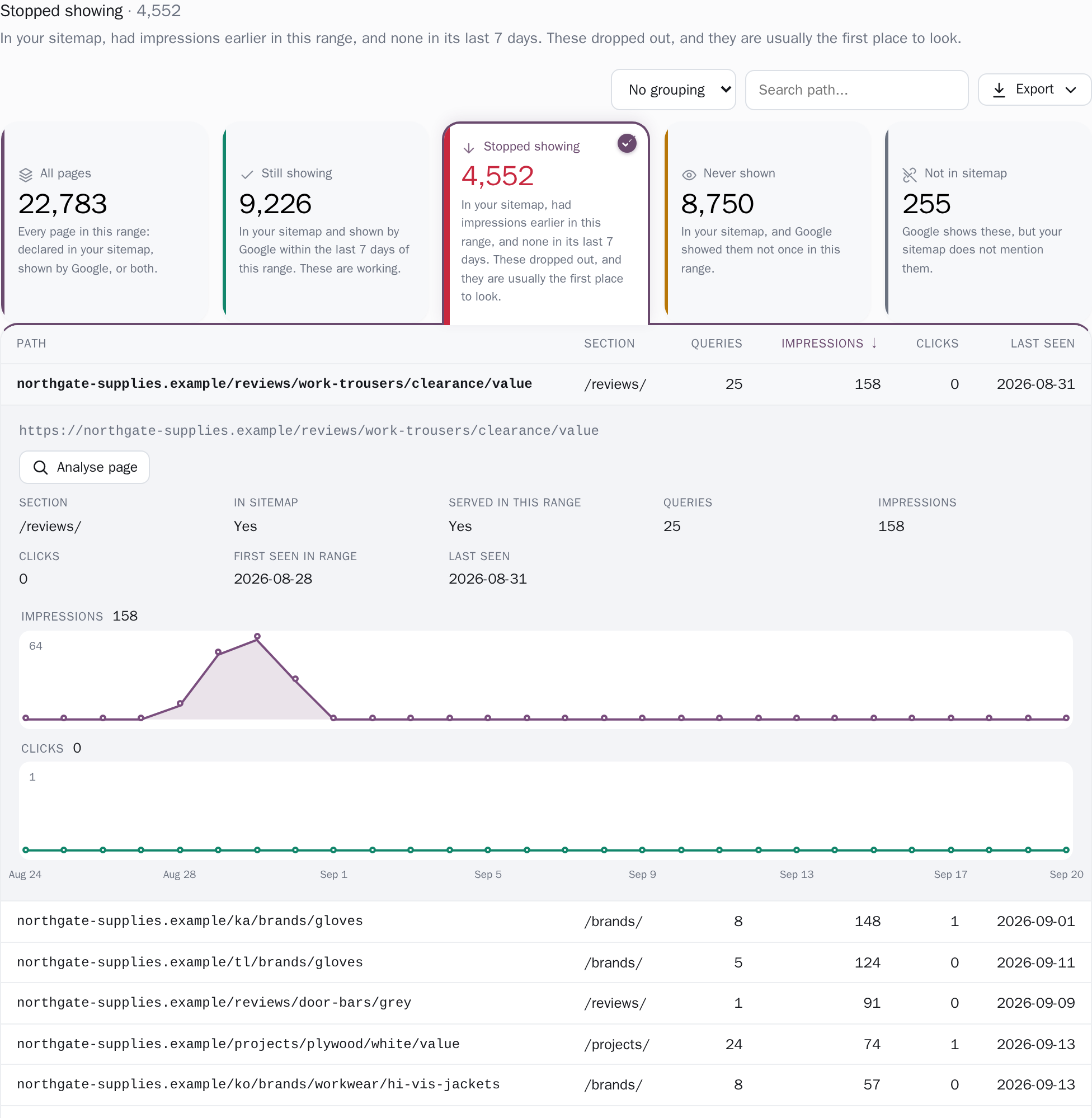
Click any row and it opens in place, one at a time, because two page panels on one screen is not a comparison. You get the full URL, eight facts (section, in sitemap, served in this range, queries, impressions, clicks, first seen in range, last seen) and that page's impressions across the window, drawn day by day for short ranges and grouped into weeks or months for longer ones.
The chart is measured from zero rather than from its own lowest value, so a page sliding from 400 impressions to 4 looks like a slide instead of filling the box; the peak is printed beside it, and hovering names the exact day, or, on a longer range, the week or month it stands for. When the answer is "nothing", it says so: "No stored days for this page in the selected range." Analyse page is a real link, so it middle-clicks into a new tab and opens the query breakdown already set to this URL.
Which window, and which half of Google's data
From Google's complete totals
- Window
- The range you pick in the header, 7 days to all history
- On screen
- Clicks
- Impressions
- The first-seen and last-seen dates
From Google's detailed sample
- Window
- The same range
- On screen
- The Queries column, a floor: the real number is higher
The window is the date range you pick in the header, 7 days out to all history. It is anchored on the newest day that actually has data rather than on today, because Search Console publishes daily figures two to three days late, and pulled forward to the first day we have stored so a long pick cannot invent empty months. Inside that window, clicks, impressions and the first- and last-seen dates come from the complete per-page daily store and are exact.
The Queries column does not, and its own header says so: "Distinct queries Google names for this page in this range, from its query × page sample, so the real number is higher." Whether a page is in your sitemap is deliberately not windowed, because a sitemap is a statement about the site as it stands, not something that happened on a date.
It is re-read at each sync, which runs once a day on both plans, and whenever you press Sync now, which is available once every three hours, and then applied to the whole window. When the screen cannot answer honestly it says that instead of printing a zero. Reach back further than the per-page history we hold and a banner names the first stored day, then reads "Earlier days are not stored, so pages that look unserved before then are unknown, not silent." Pick a range too short to contain any silence threshold and the whole rule is replaced by "Pick a longer range to measure pages that stopped showing", because if the threshold covers the entire window there is no "earlier in this range" left for a page to have had impressions in, and the group would quietly report zero, which reads as good news rather than as an impossible question.
And if your sitemap could not be read at all, the page says "couldn't read your sitemap" with the actual reason, so you can see why every page has dropped into Not in sitemap, instead of reading that count as a finding.
The thresholds, stated
range end − (threshold − 1). The floor of 3 exists because Search Console reports two to three days late, and a shorter tail would call a page dead on days Google has not finished publishing.threshold < range days − 1) is written to match the rule in the database (range end − range start > threshold) exactly, so the screen can never offer a setting the query then refuses to apply. When the window moves under a threshold that no longer fits, the threshold is re-fitted before the next request goes out rather than silently ignored.Exactly what you are looking at
- The Queries column is a floor, not a count. It counts the distinct queries Google names for a page in its sampled query × page data, which is truncated at source. Clicks, impressions and dates on the same row are exact; that one column is a lower bound, and the header tooltip says so rather than leaving you to assume a page with "3 queries" is thin.
- Both sides of the comparison are bounded, and the bounds are real numbers. The sitemap crawl follows 5 sitemap roots, 3 levels of nested sitemap index, 300 sitemap documents per root, 5,000,000 URLs, 50 MB per document and 8 minutes in total; the flat Search Console pull that builds the roster stops at 250,000 pages. Cross any of them and the run is recorded as partial, with its own reason: "URL cap hit (5000000)", "sitemap document cap hit (300 per root)", "only 5 of 12 sitemap roots crawled", "sitemap index nested deeper than 3 levels, deeper documents not read", "the crawl ran out of time". Page coverage prints that reason on the page itself whether the crawl came back empty or merely truncated, and the dashboard says which of the two it was. A partial crawl is never cached as the last-good sitemap, so the next run always re-reads it and one bad run cannot freeze a truncated list in place.
- Coverage here is what Google actually showed, which is the harder test. "Never shown" means Google recorded no impression for that page in the window you picked. A page can sit in the index and still never be a good enough answer to reach anyone's screen, so one impression says more about a page than its index status does. Search Console's own URL inspection tool answers the indexing question; this screen answers the one that comes after it.
-
URLs are never merged or tidied.
/aand/a/are two pages here, and so are/Aand/a. That looks like duplication until you remember why: a sitemap declaring/a/while Google serves/ais exactly the discrepancy this screen exists to surface, and collapsing them would hide it.
Connect your site and see the first answer today
Sign in with Google, pick a property, and your dashboard fills in while you watch, with the screen counting the days as they land.