Online stores
The half of your catalogue nobody has checked
You have a few hundred products, or a few thousand, plus a collection page for every category and filter combination someone thought was a good idea. You have looked closely at maybe twenty of them. The rest were published, indexed if you were lucky, and never opened again. There is no screen in your store admin that tells you which of them Google has shown to a single human being.
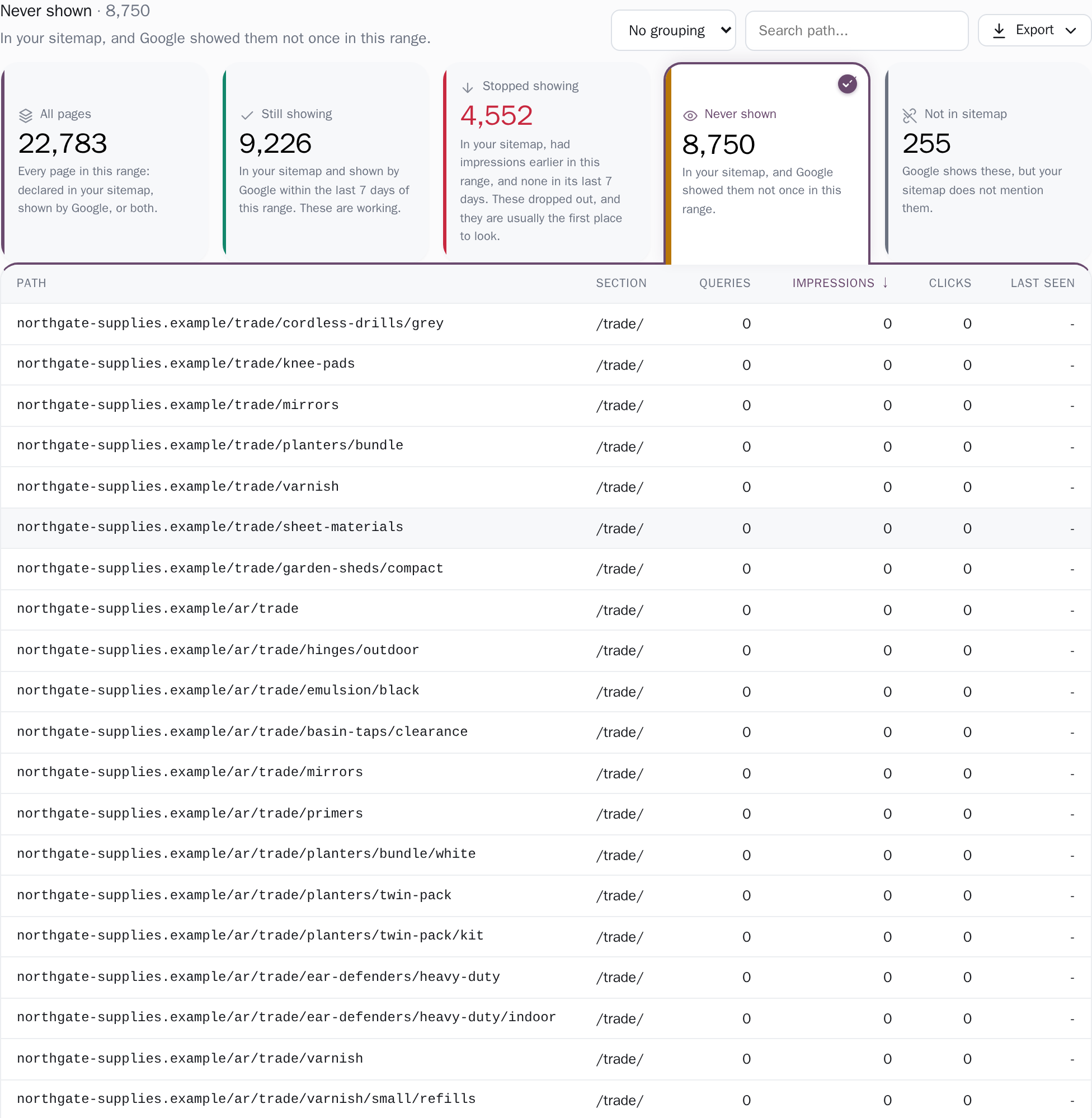
Four groups, and they add up.
- 9,678 still showing
- 4,110 stopped showing
- 8,740 never shown
- 431 not in sitemap
For a date range you choose, every URL your sitemap declares, plus every page Google served inside that range, lands in exactly one of four groups: still showing, stopped showing, never shown, and shown by Google but missing from your sitemap. One rule assigns them, so the four counts sum to that roster (the sitemap plus what was served in the window) rather than being four numbers that happen to sit near each other.
An impression is your page appearing in someone's search results (not a visit, just an appearance), so "never shown" means Google put that product in front of nobody, not once, in the window you picked. You set what counts as gone quiet, too: judge the last 7 days, the last 28, or three, six or sixteen months, and count a page as stopped after 3, 7, 14, 28, 60 or 90 silent days, whichever of those fit inside the range you chose, since a silence cannot be longer than the window measuring it.
Page coverageEvery page, and the limits said out loud.
The table is the complete roster: every URL in your sitemap plus every page Search Console served in the window. It is paged 50 rows at a time, with the search, the sorting, the group counts and the totals all computed across the full set, and an export that carries the same window and the same group as the screen, with no row cap. Impressions, clicks and the last-seen date are exact; the queries column counts only the searches Google names in its query × page sample, and the column header says so. The sitemap crawl has real limits: five sitemap roots, three levels of nested index files, fifty documents per root, fifty thousand URLs, fifty megabytes per document.
The Search Console side of the roster stops at a quarter of a million pages. A crawl that runs into one of those is marked partial on the project's settings page, with the cap it hit named there; a sitemap we could not read at all is called out on the coverage page itself, with the reason, because that must never look like a store with no sitemap. Otherwise every product would read as an orphan.
Data export"Never shown" is not "not indexed".
We hold what Google served, so that is what we say. A product page can be perfectly indexed and still never be a good enough answer to reach anyone's screen, and those two situations need different fixes: one is a crawling or canonical problem, the other is that four hundred stores sell the same item with the same manufacturer description.
Only Search Console's own URL Inspection tool can tell you which one you have, and we say so rather than guessing at it from data we do not hold. In the same spirit, a range reaching further back than the per-page history we hold says so on the page: it names the day that history starts and calls the days before it unknown, not silent.
What to open first.
Start with Never shown, and start with the patterns in it. When hundreds of filter or collection URLs sit there together, one setting usually put them there, in the theme or in whatever writes your sitemap, and one change clears them all: search the list for a path such as /collections/ and the count tells you how many share it. Single products come after, one at a time.
Then open Stopped showing. It holds the pages Google was showing earlier in the range and has stopped showing since, which is where a product that used to be found went quiet, each with the date Google last showed it. Set that date beside your own record of changes: a theme update, a renamed URL, a product taken down.
Page coverageEvery product page accounted for
- Four groups that add up: still showing, stopped, never shown, not in your sitemap
- Every URL in the roster gets a group: a 4,000-product catalogue is 4,000 rows, not a top-50 sample
- The same weeks last year: ~16 months seeded at connect, a rolling 24 months kept on a paid plan (free keeps 14 days)
- A silence rule you set: how many quiet days makes a page "stopped"
One store is free, with no card: every screen and every row, the last 14 days of history, re-synced every day. Connect it, press "Never shown", and look at the first page of that list. If nothing on it surprises you, your catalogue is in better shape than most and you have lost ten minutes.
Related guides

What this measures, and where another tool owns the answer
What this measures is the search side of the store, exactly: which URLs Google showed, how often people clicked them, and which ones it has never shown at all. A click and an order are joined in exactly one place, and that place is your own commerce data: Shopify's or WooCommerce's reports, or GA4 with ecommerce tracking, answer revenue per product, and the answer is theirs to give.
Read side by side, each does its own job: this will show you a collection page whose impressions are climbing while your order data shows it has never sold a thing, which is a finding rather than a gap. It names problems and leaves the fix with whoever owns the code: it will tell you that a thousand filter URLs sit in your sitemap and have never been shown once, and tracing them back to your theme is your job or your developer's.
Our Google access is read-only, and from your server we read exactly two things, robots.txt and your sitemap files: we never render a page, follow a link or read your HTML. And for a store of thirty pages you already know by heart, the coverage split will confirm what you could have counted yourself; the small business owners page is written for that shape of site.
Other teams reading the same data
Connect your site and see the first answer today
Sign in with Google, pick a property, and your dashboard fills in while you watch, with the screen counting the days as they land.