Agencies and freelancers
One bill for every site you look after
You carry other people's sites, five of them or sixty. Some tools price per site with no ceiling, so your bill grows in a straight line while the fee you charge each client does not; others sell one flat unlimited plan, which makes a five-site freelancer pay what a sixty-site agency pays. Either way the roster ends up a folder of eleven browser tabs you open one at a time to find out whether anything moved. This was priced for the shape in between: a per-site rate that falls as you add sites, with a ceiling on top. The roster is one screen.

The per-site rate falls as the roster grows.
One site is €10 a month, or free if one site and a 14-day window are enough; paying is what buys the extra sites and 24 months of daily history. The sync runs once a day either way. Five sites are €8 each, so €40; ten are €7 each, so €70; twenty are €6 each, so €120. And where a larger band would cost less than your own, you are charged the larger band's price instead: nine sites bill at ten sites' €70 rather than nine times €8, so taking on one more client can never make the total jump.
Every rate here lives in one module, src/domain/plans.ts, which is the module the billing code charges from: the pricing page builds its table by calling that function rather than retyping it, and a check we run before release refuses the page if it quotes a price the function cannot produce.
Then it stops at €129.
That is the ceiling for the whole account per month, and it binds from 22 sites up, because 21 × €6 is €126 while 22 × €6 would be €132. A 30-site roster and a 60-site roster therefore pay the same €129, which is €4.30 and €2.15 per site. Yearly billing, which is ten months for twelve, takes the sixty-site figure to €1.79 per site per month.
One account and one bill, however many clients sit inside it. Every paid site carries 24 months of daily history, however many of them sit in the account.
A client login costs nothing.
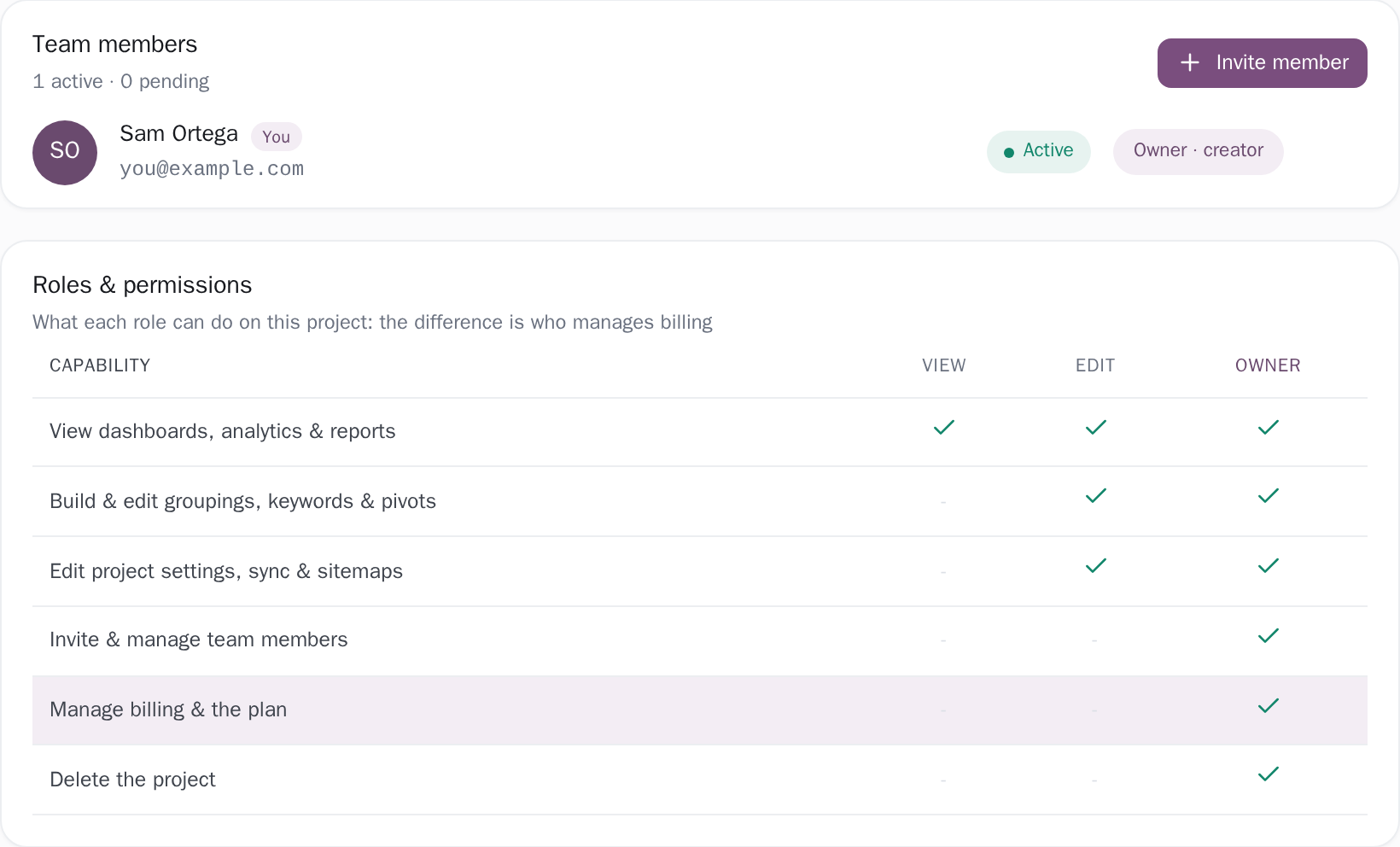
Seats are unlimited and free on every plan, and that holds because no code anywhere caps or prices them: the app will happily show you who is on a project (the roster even sorts by team size), but the only number that reaches the price is the count of active sites, and a paused site is not one of them. The project's owner sends the invite, and a client on a view seat gets read-only dashboards, reports and keyword tracking for that one project.
The list they land on returns the projects they own plus the ones they have been given access to, so your other clients are never in it. Their plan is read from the project owner's row rather than their own, so a client on a free seat still sees the daily-synced, full-history version of their site. The three roles, can view, can edit and owner, are re-checked on the server on every write, not merely hidden in the interface.
Team accessThe roster answers before you open any single site.
Every connected property sits in one sortable table, paged 25 rows at a time by default or shown all at once. The columns are pages, query counts, clicks, impressions (the times a site appeared in someone's Google results) and average position, meaning how far down those results it sat, where 12 means it was on the second page, which almost nobody clicks through to. Above the table, four cards roll every project into one line: combined clicks as an exact figure, combined impressions abbreviated in thousands, an average position weighted by impressions rather than averaged flat, and the count of unseen alerts across the whole roster, so you know which sites to open this morning.
That rollup is computed from every project on the account and never from the rows currently on screen. The two columns built from fixed 7-, 28- or 90-day windows (pages and query counts) print the window on the cell whenever the range you picked is longer than it, and the pages column names its window on hover either way, instead of letting a 90-day figure pass for a year's. Tags are your own filing: retainer, paused, one client's three brands. Picking two shows only the sites carrying both.
All your sitesRestricted access to a client's property is enough.
Any verified permission in Search Console works: owner, full user or restricted user. Each client adds your Google account once, and the property shows up in the list when you connect.
Every client site, read from one screen
- Ten client sites are €70 a month, €7 each, and the rate falls again as you add more
- €129 a month for the whole account from 22 sites up, however many you carry after that
- Unlimited free seats: a client viewer login costs nothing, and never shows them anything but the project you shared
- Every property in one sortable table, with a rollup computed across all of them, not just the page on screen
One site is free, with no card and no countdown. Connect a single client property first. If the roster view is not what you hoped, the rest of your roster never has to move.
Related guides
What this measures, and where another tool owns the answer
Two questions decide whether this is your tool. The first is what you sell. Where the deliverable is a monthly PDF carrying your own logo, Looker Studio is the place to build it: it is free, it reads the same Search Console data through Google's own connector, and it will email a branded PDF on a schedule (checked 4 September 2026). This product is the working surface rather than the document: every screen carries our name, the numbers leave through downloads rather than through a feed or a scheduled send, and the client-facing document is something you assemble from those downloads each month.
The query, page-performance and page-coverage tables download as CSV or Excel, and the pivot, cannibalization and target-keyword tables as CSV, with the pivot's file stopping at its top-N cap and saying so inside; the roster view this page is about is a screen to work from, and it stays in the app. The second question is who signs in. Viewer seats cost nothing and they earn their keep by being used, so where the clients want that PDF and will never open an account, what you are buying is the roster view itself. At €7 a site that can be a fair trade, and it is a better one when it is the reason you bought rather than what you discover in month two.
Other teams reading the same data
Connect your site and see the first answer today
Sign in with Google, pick a property, and your dashboard fills in while you watch, with the screen counting the days as they land.